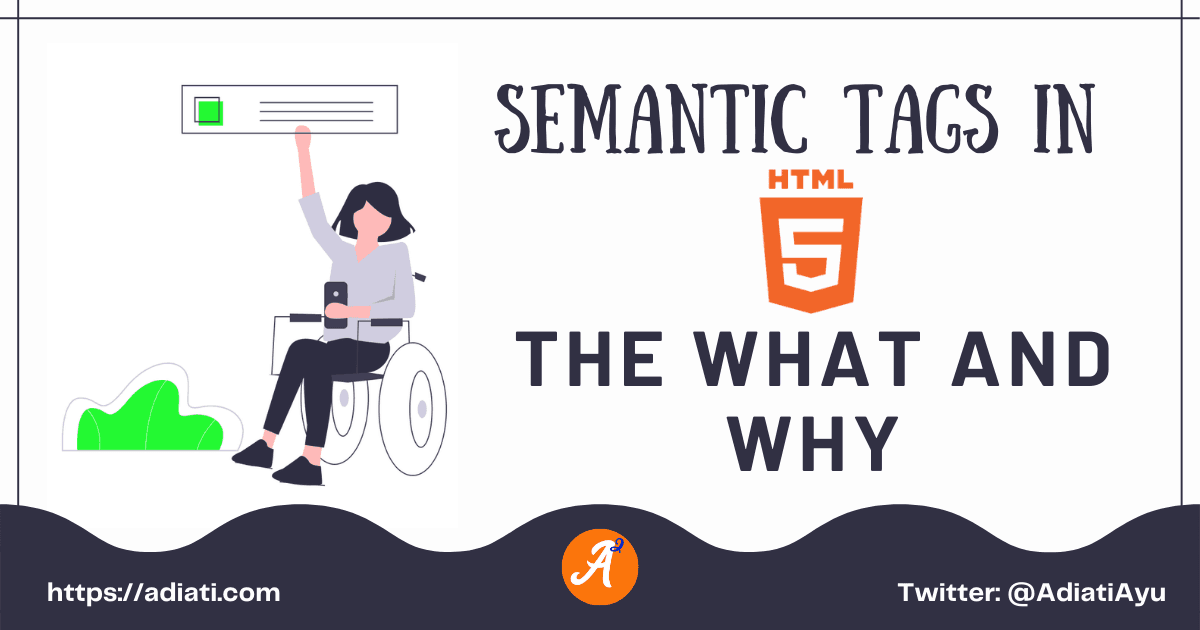
Semantic Tags In HTML5: The What And Why
A
Ayu is a tech blogger, open source contributor & maintainer, and tech community enthusiast based in the Netherlands. She loves photography and iced coffee!
Search for a command to run...
Ayu is a tech blogger, open source contributor & maintainer, and tech community enthusiast based in the Netherlands. She loves photography and iced coffee!
No comments yet. Be the first to comment.
Hi friends 👋, I've been writing tech blog posts for a few years now. If you don't know me yet, English is my second language. My mother tongue is Indonesian, and I'm also surrounded by Dutch every da
I frequently receive messages from enthusiastic contributors who have completed 2 or 3 high-quality pull requests (PRs) in just 1 month. They’re proactive, their work is top-tier, and they’ve handled
A few months ago, I shared a story about building an automated open source portfolio using just my smartphone and an AI assistant while on vacation. My main goal was to stop the "spreadsheet struggle"

Recently, I read Bekah Hawrot Weigel’s blog post, "When 'Local' Went Global: The Pandemic Era of International Communities." As someone active in many online communities, I found it a bit sad, but I agree with her points and think they apply to open ...
Hacktoberfest is almost over. How has your contribution journey been so far? Are you confident about contributing to open source projects, or are you still struggling to find your way? If you're new to open source and still feel overwhelmed, that's c...

Hello Fellow Codenewbies 👋
There are many tweets and articles to raise awareness towards accessibility on web development. They are explaining the importance of thinking about accessibility first and apply things that help people with disabilities to access the web world.
I am aware of this as well, but I honestly have not applied accessibility aspects as much as I should in my projects.
I have no chance yet to squeeze in extra time to learn more about it.
But really, it should not be an excuse for not making time to learn and apply those aspects.
So lately, I do more research on accessibility aspects and do my best to apply it whenever it's needed.
One of them that I will talk about in this post is "semantic tags in HTML".
Semantics is the study of meanings in a language
-- Cambridge Dictionary
To write semantic HTML tags means to use HTML tags that have meaning and we can interpret, even without being well explained.
For example, prior to HTML5, <b> and <i> are used to make a text bold and italic.
In HTML5, <strong> and <em> are used to achieve the same result, but with much more meaning. They add importance and emphasis to the text.
When we create a boilerplate of HTML5, we definitely will see this structure:
<!DOCTYPE html>
<html lang="en">
    <head>
        <meta charset="UTF-8" />
        <meta name="viewport" content="width=device-width, initial-scale=1.0" />
        <title>Document</title>
    </head>
    <body>

    </body>
</html>
We are seeing semantic tags in this boilerplate.
<html>: Encloses the whole page.<head>: Contains all necessary information to render the page.<body>: The contents of the page.<title>: The title of the page.<meta>: The metadata, to provide additional important information. People with visual disabilities are depending on screen readers to use a computer and to access the web.
Semantic tags can distinguish sections and are readable for screen readers.
📝 Sidenotes:
I highly recommend you to watch this 4 minutes video about how screen readers work to get a picture and understand more about the importance of semantic tags and how they benefit people with visual disability.
Light and clear codes are easier to maintain because they are easier to read.
Let's see below example without semantic tags:
<div>
   <p><b>Cheese Kingdom</b></p>
   <p>Some recipes with cheese:</p>
   <div>
     <p>1. Cheese burger</p>
     <div>
       <p>
         - Cheese
         <br>
         - Burger's bread
         <br>
         - Beef burger
      </p>
    </div>
    <p>2. Mac and cheese</p>
    <div>
      <p>
        - Cheese
        <br>
        - Macaroni
        <br>
        - Roasted Chicken
      </p>
    </div>
   </div>
</div>
And with semantic tags:
<article>
    <h1>Cheese Kingdom</h1>
    <p>Some recipes with cheese:</p>
    <ol>
      <li>Cheese burger
        <ul>
          <li>Cheese</li>
          <li>Burger's bread</li>
          <li>Beef burger</li>
        </ul>
      </li>
      <li>Mac and cheese
        <ul>
          <li>Cheese</li>
          <li>Macaroni</li>
          <li>Roasted Chicken</li>
        </ul>
      </li>
    </ol>
</article>
Which one is easier to read and to interpret?
I believe you've known the answer 😊
Semantic tags help in providing richer information for search engines.
When search engines cannot read a website properly, then the website cannot be ranked properly. This can cause bad performance and lower its chance to reach a bigger audience.
There are many semantic tags in HTML5. But the most popular ones are:
<h1> - <h6>: For headings in a page.<p>: For paragraphs.<img>: For images.<ul>, <ol>, <li>: For unordered & order lists.<form>: For forms.<input>: For inputs.<table>: For tables.<thead>: For the header of a table.<tbody>: For the body of a table.<tfoot>: For the footer of a table.In a webpage, we usually see a structure of a header, body of the page, a footer, and sometimes also sidebars.
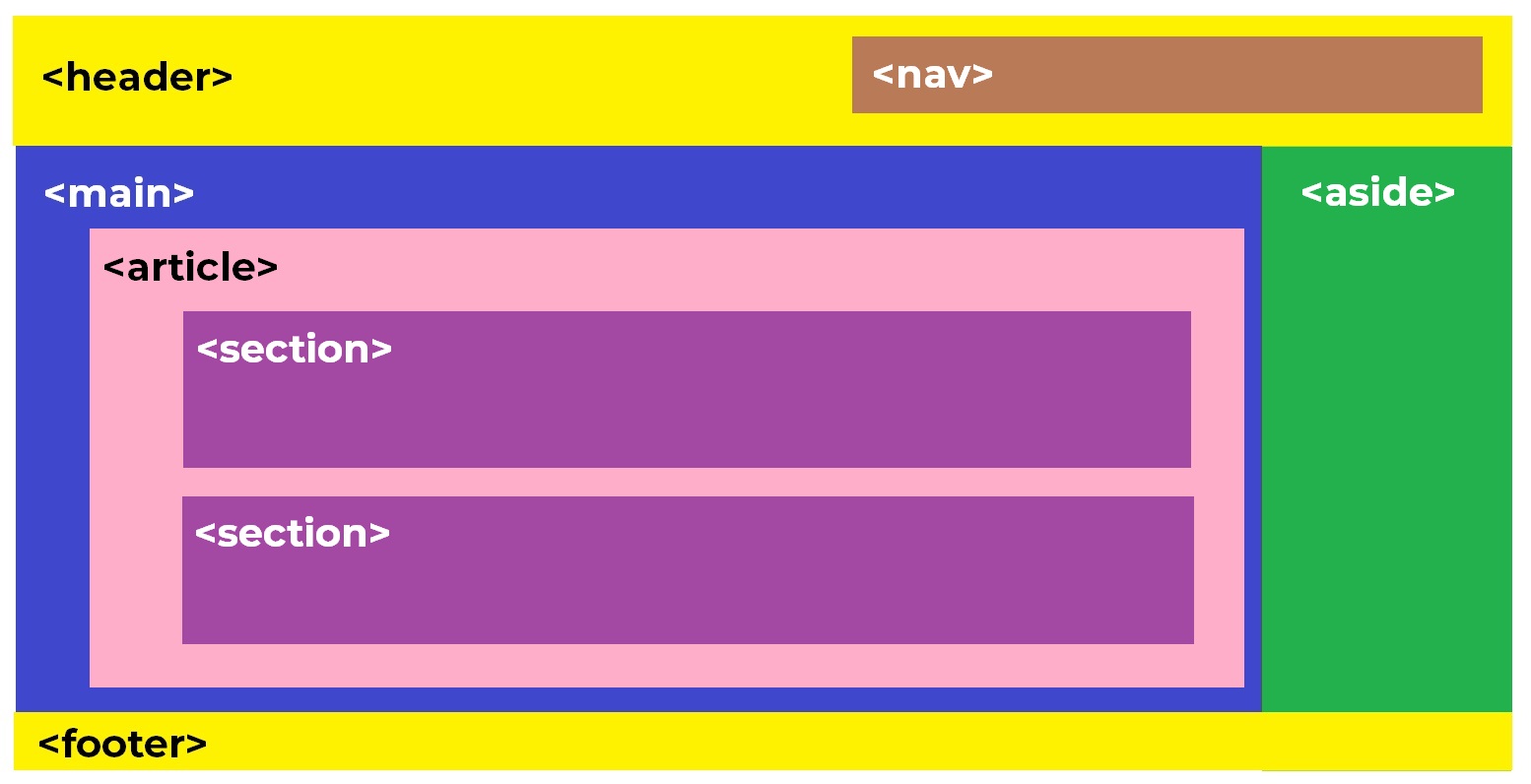
<header>
<nav>
<main>
<article> and <section>. There should be only one main tag on a page.<article>
<section>
<aside>
<footer>
I provide a playground on Codepen below as an example.
We learned that using semantic tags in HTML5 benefits everybody and is very important for accessibility, maintaining larger and cleaner codes, and also powerful for a webpage's performance in SEO.
Therefore, we better start to learn and use the correct semantic tags from now on.